Adding Prefixes

Adding Prefixes

In order to add Prefixes to your numbers, please follow the steps below:
Info
Prefixes add a custom number/s that must be dialed before dialing a specific number and can be used for additional functionality.
Example: You can use this to split calls for specific countries with a singular number
1. In order to add Prefixes, navigate to the Settings, Voice section and click on Phone Numbers:
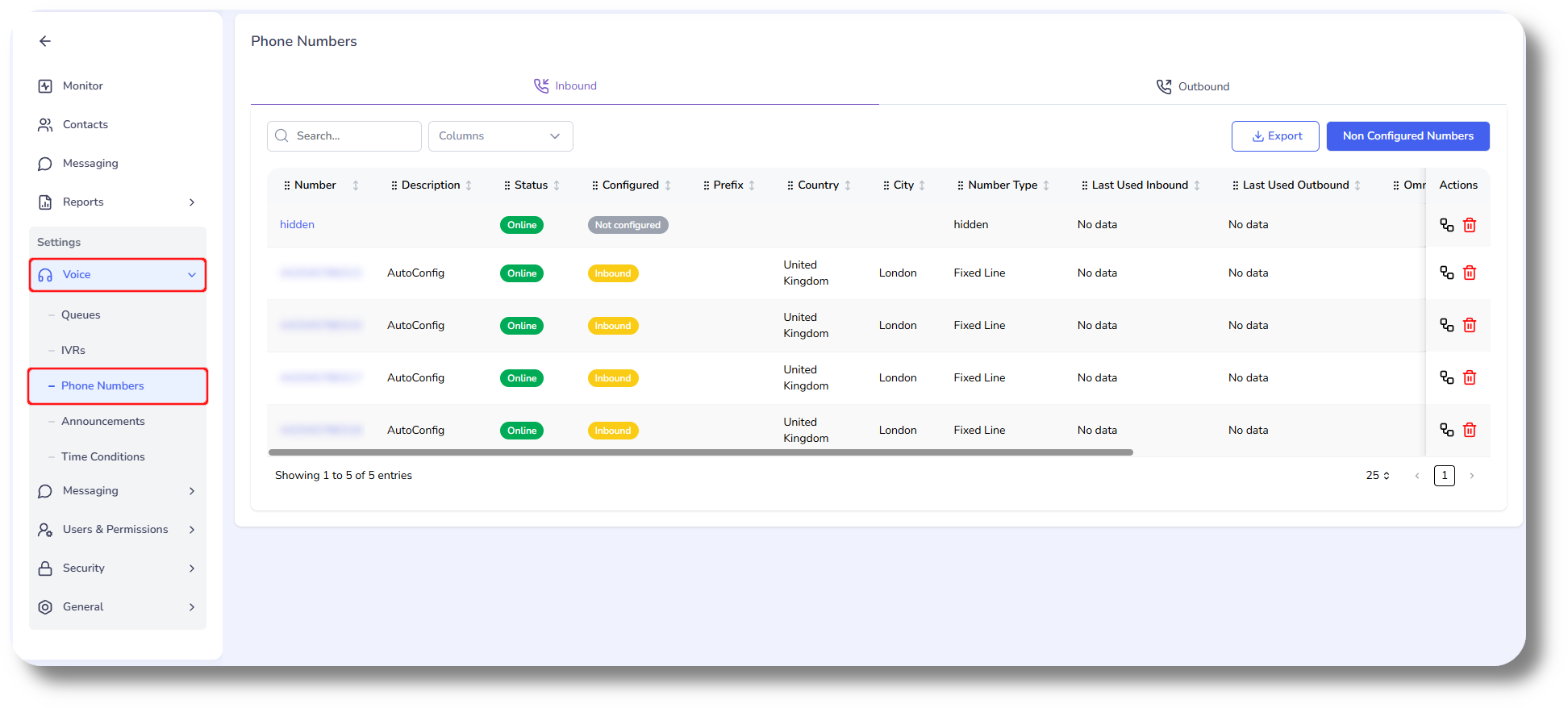
2.
Next click on the Outbound tab and click Create, you can also click on an existing route to a add a prefix to it:

3. In the Outbound Route you can add a Rule/s where you can specify a prefix, you can have multiple rules specifying different prefixes and destination countries:
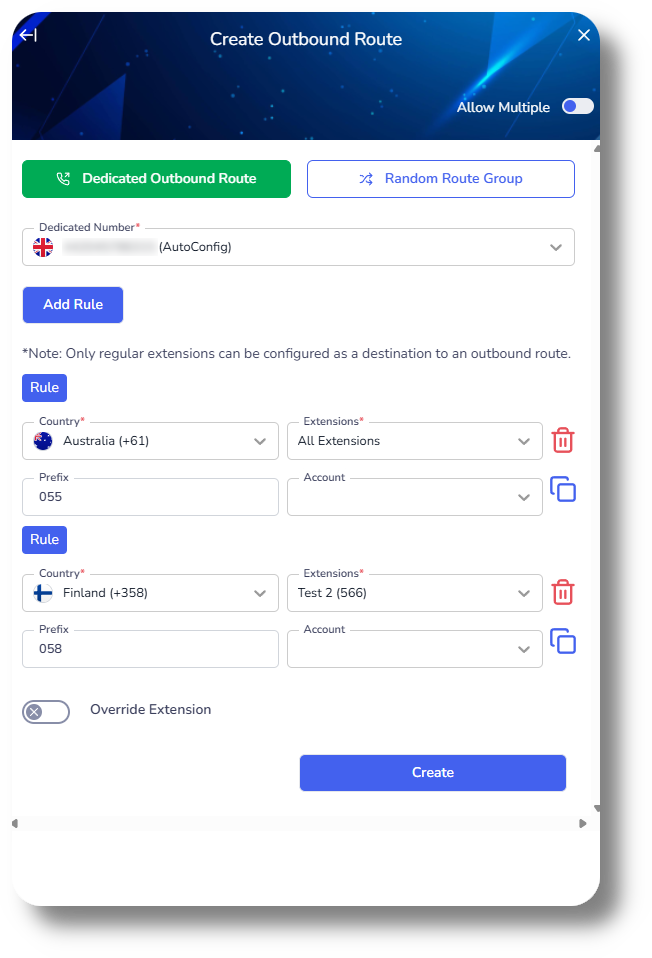
4. You can also add a prefix to a Random Route Group:

    • Related Articles

    • Adding Prefixes

      In order to add Prefixes to your numbers, please follow the steps below: Prefixes add a custom number/s that must be dialed before dialing a specific number and can be used for additional functionality. Example: You can use this to split calls for ...
    • Configuring Phone Numbers

      To configure your new numbers/DID's please follow the steps below: Phone Numbers Navigate to Settings, Voice then click on Phone Numbers: From here you will be able to see your currently assigned numbers, as well as numbers which are not configured ...
    • Configuring Caller ID

      In this article you can find the steps on how you can configure a Caller ID for your Extensions, Queues as well as the Incoming Route for any of your DID's: Extensions 1. Click on Settings and navigate to the Extensions tab: 2. Next click on the edit ...
    • Configuring Phone Numbers

      To configure your new numbers please follow the steps below: Phone Numbers 1. Click Settings to navigate to the settings page on the left hand side of the screen and navigate to the Phone Numbers section: You will be able to see the settings tab only ...
    • Configuring Random Routes

      This article will guide you how to configure your Random Route. Configuring Random Routes gives you the ability of using a set of numbers in a random sequence when making outbound calls. This is beneficial to reduce the over-use of one singular ...