Configuring Phone Numbers
To configure your new numbers/DID's please follow the steps below:
Phone Numbers
Navigate to Settings, Voice then click on Phone Numbers:
From here you will be able to see your currently assigned numbers, as well as numbers which are not configured can be viewed by clicking on the Non Configured Numbers button:
Each number can have both a Incoming and Outgoing Route configured by clicking on the respective tab:
Incoming/Outgoing Routes
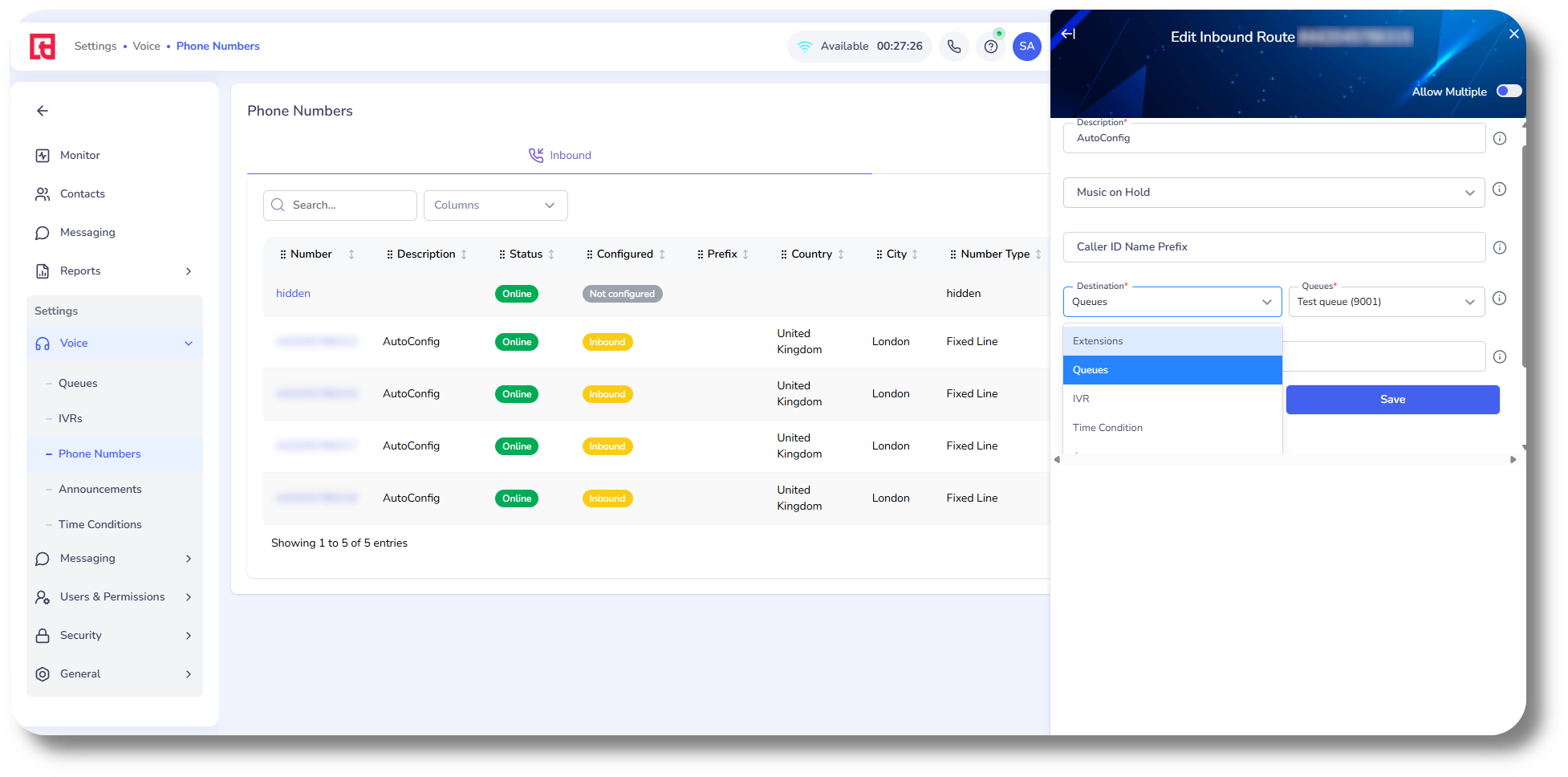
To configure the Incoming Route of a number/DID, simply click on it. In the Incoming Route you can set the Music on Hold, a Caller ID Name Prefix as well as the Destination;
For example you can set the Incoming route of this particular number to be received by a specific Queue and more when being called:
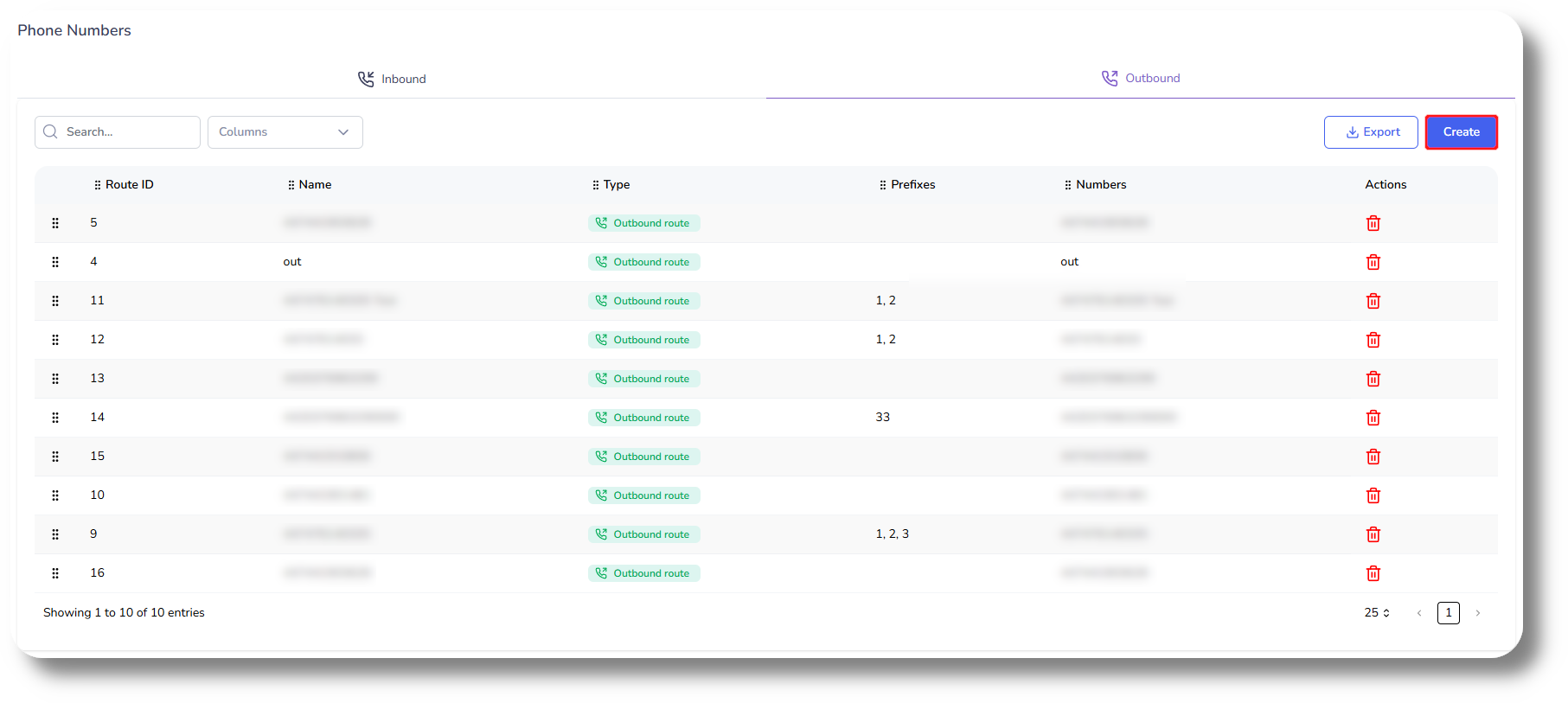
From the Outbound tab you can set up Rules, such as calling to a specific Destination with a Prefix (dialed before the number) by a specific set of extensions:
As well as create random routes. To do this click the "Create" button.
From the Dedicated Number you can select number this route to be for. You can add multiple rules and select different countries or all, as well as specify which extensions could utilize this rule as well as specify a prefix.
Random Route
To create a random route click on the Random Route Group tab and select the numbers you wish to use for this route as well as create a Rule to specify which extensions can utilize this random route, what countries can be called and a prefix to be used:
Route Priority
If you have multiple routes and numbers configured you can also set their priorities from the Outbound tab. To do so simply drag them higher or lower.

Keep in mind that the higher the route is in the list the higher priority it has.
The lower the route is the lower it's priority is and chance of being used.