Invoices

Invoices

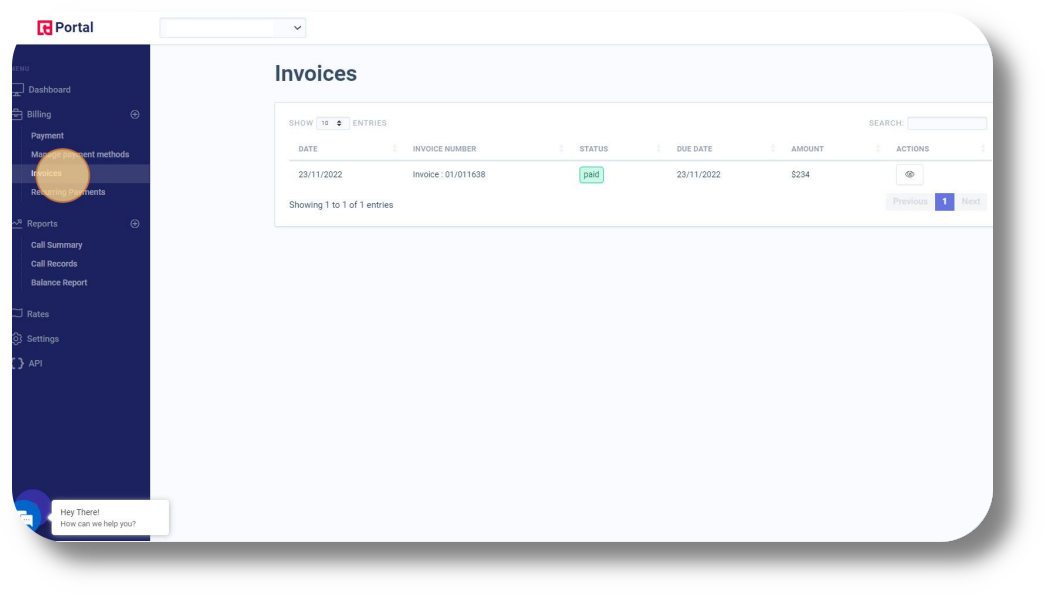
In order to access your invoices navigate to the Invoices menu under the Billing section:
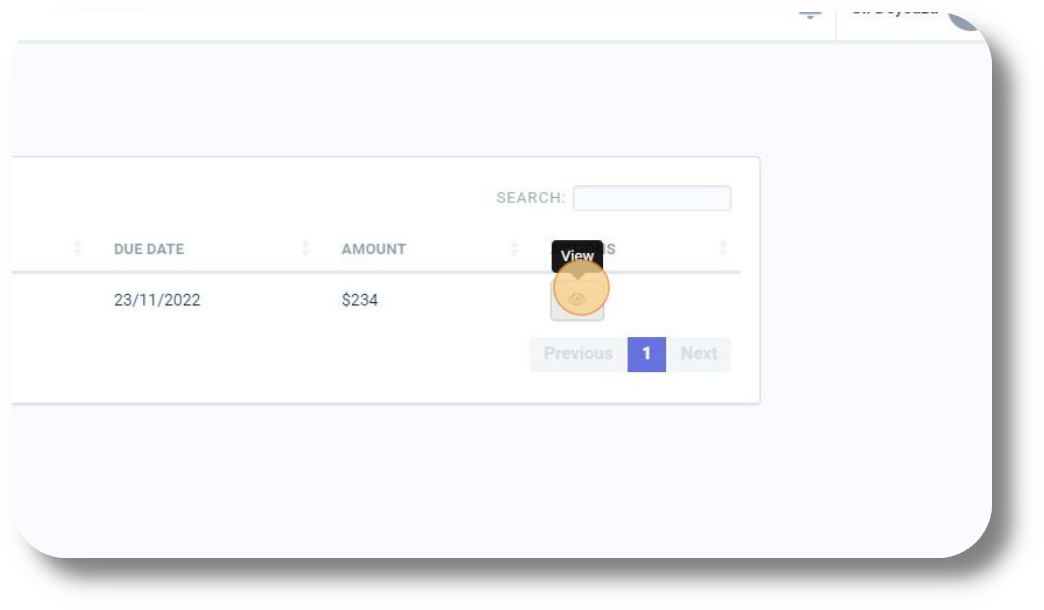
You can download and view the  the corresponding invoice or receipt by clicking on the "View" button next to each invoice:


    • Related Articles

    • Email Notifications

      Should you wish to change your email for email notifications or add additional ones navigate to the Notifications section: From here you can also manage notifications for renewal of recurring invoices, low balance and DID renewals:
    • Recurring Payments

      Under the Recurring Payments section you will be able to see all your subscriptions for each respective product you currently have active as well as your "Next Invoice Date" and "Billing Frequency":
    • Billing Portal Overview

      The billing portal allows you to manage your Squaretalk products, subscriptions, check your rates, invoices and payments. To access the billing portal please visit: https://portal.squaretalk.com/login Please note: Your access credentials will be ...
    • How to Create and Customize a Monitor View

      How to Create and Customize a Monitor View Squaretalk lets you personalize your Monitor tab so you can track exactly what matters: agents, queues, or messaging performance. Instead of using the default view, you can build your own monitor layout with ...
    • How to join a Zoho Remote Session

      To join a Zoho Remote Session, please follow the steps below: How to join a session using a Session Link 1. Open the link provided to you by the support agent. 2. Enter your name and click "Join Session". 3. Click the "Agree and Download" button and ...