Reports - Calls Tab
This article will provide you a general overview of the functionalities for the Calls Report.
The Calls report allows you to review all calls made via the SquareTalk New Contact Center as well as listen to the call recordings.
1. Navigate to the Reports section from the left and then the Calls tab:
2. From the Columns section you can select which columns are shown:
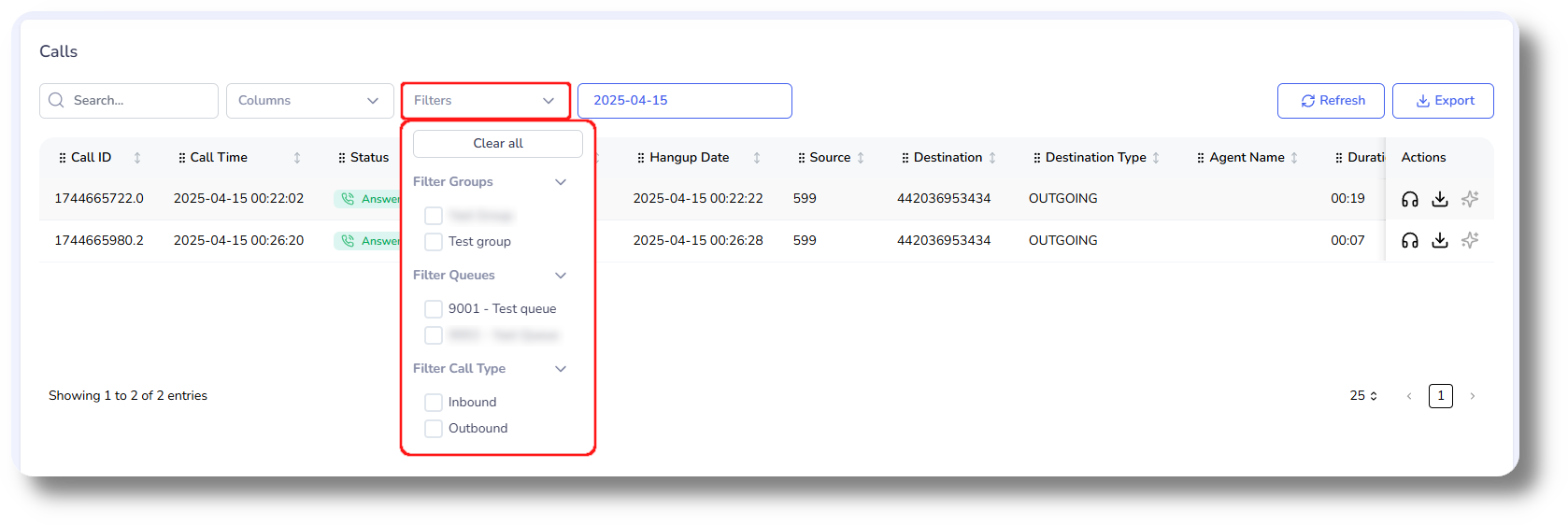
3. From the Filters section you can filter by groups or call type (Inbound/Outbound):
4. Click on the date field to filter for a specific date:
5. To listen to the call click on the headphone icon next to the respective call:
6. You can also download the call recording by click on the download button next to the respective call:

Related Articles
Reports - Calls Tab
This article will provide you more information about the Calls section in the Reports. The Calls report allows you to review all calls made via the Axiom as well as listen to the call recordings. 1. Navigate to the Reports section from the left and ...Reports - Effective calls
This article will provide you more information about the Effective calls setting in the Reports section Note: If you do not have access to this setting you either are not an Admin or have the necessary rights enabled under your current user. 1. First ...Statistics and Reports - Calls
This article will provide you an overview of the Calls report and it's functionality: First navigate to the "Statistics and Reports" section from the left and click on "Calls" from the drop down menu: From here you will be able to review statistical ...Statistics and Reports - Call history
This article will provide you an overview of the Call History report and it's functionality: To navigate to the Call History, first click on Statistics and Reports and then click on Call History from the drop down menu: From the Call History you can ...Call Summary
Under the Reports you will find the Call Summary of the total usage of the account. You can see the total volume of minutes and cost of both incoming and outgoing calls: Here you can also search by time period as well as export a summary of the data: