Monitor
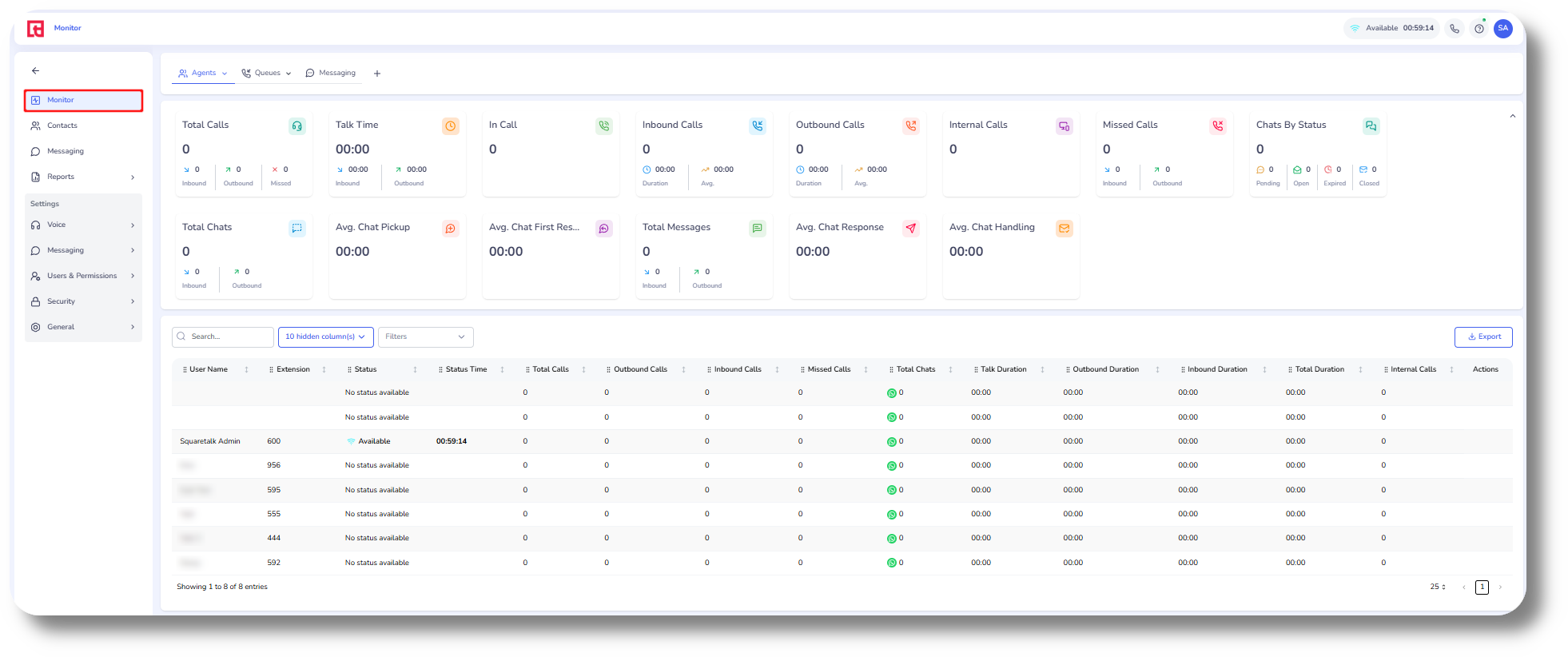
From the Monitor page you can monitor your agents and view call and message statistics:
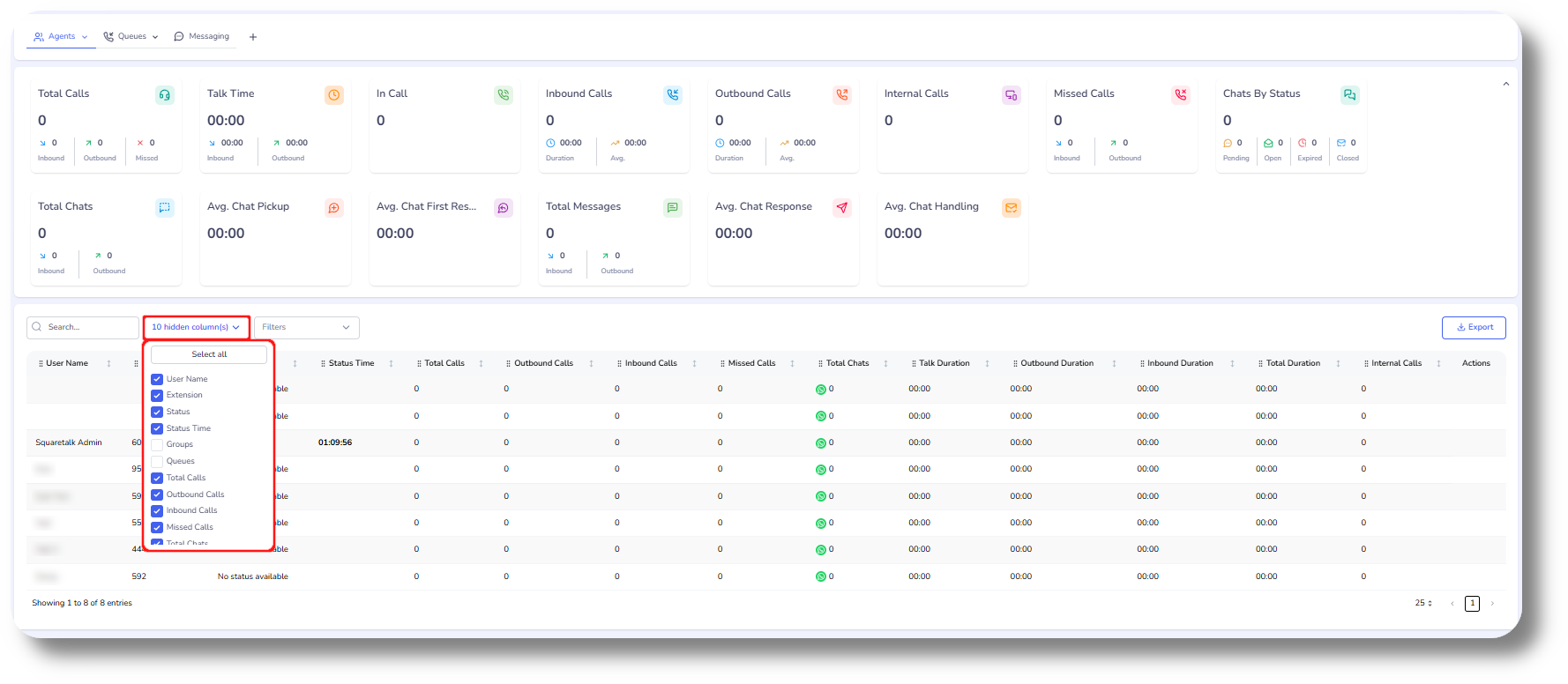
To display additional columns click on the column options:
From the Queues section you can monitor your queues:
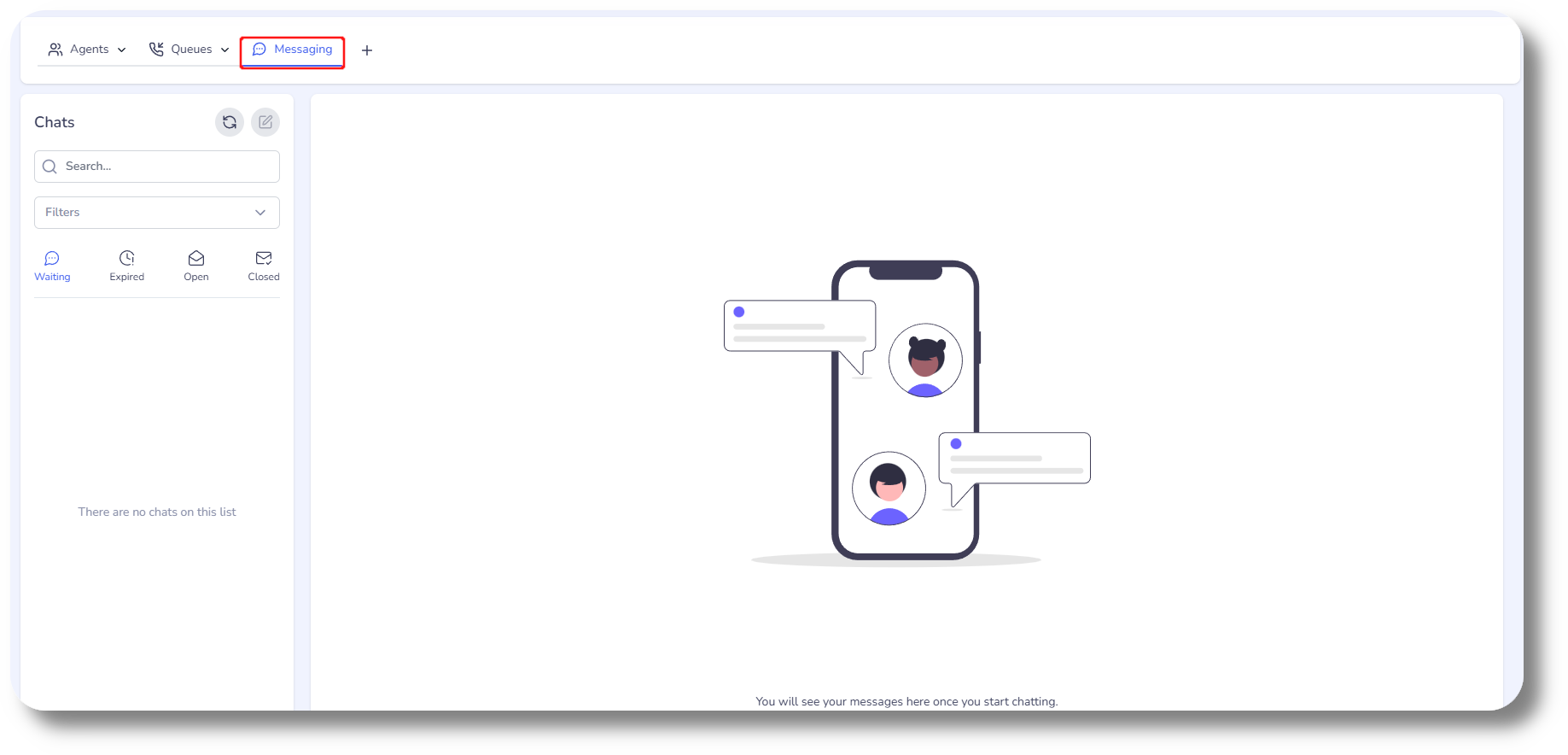
From the Messaging section you can monitor your chats:
You can also add a custom view by clicking on the + button where you can rearrange the KPIs as needed:
Related Articles
Monitor
This article will provide you more information about the Monitor section and functionality: 1. Enter the Monitor page by selecting "Monitor": 2. Filter agents currently in a call by clicking 'In Call' excluding all others from the monitor list: 3. ...Queues
This article will provide you more information about the Queues section and functionality: 1. Navigate to the Queues page by clicking on 'Queues': 2. Here you can monitor the 'Total calls' across all your queues: 3. Here you can monitor how many of ...Effective Calls
To configure the effective calls please follow the steps below: 1. Access the effective calls settings by going to Settings and then "Reports": 2. Set the parameters for effective calls, which can be monitored in the calls history reports page: The ...Statistics and Reports - Calls
This article will provide you an overview of the Calls report and it's functionality: First navigate to the "Statistics and Reports" section from the left and click on "Calls" from the drop down menu: From here you will be able to review statistical ...Reports - Calls Tab
This article will provide you more information about the Calls section in the Reports. The Calls report allows you to review all calls made via the Axiom as well as listen to the call recordings. 1. Navigate to the Reports section from the left and ...