Reports - Users
This article will provide you a general overview of the functionalities for the Users Report.

The Users report allows you to review all calls made by your users for a specific date/day.
1. Navigate to the Reports section from the left and then the Users tab:
2. From the Columns section you can select which columns are shown:
3. From the Filters section you can filter by groups.
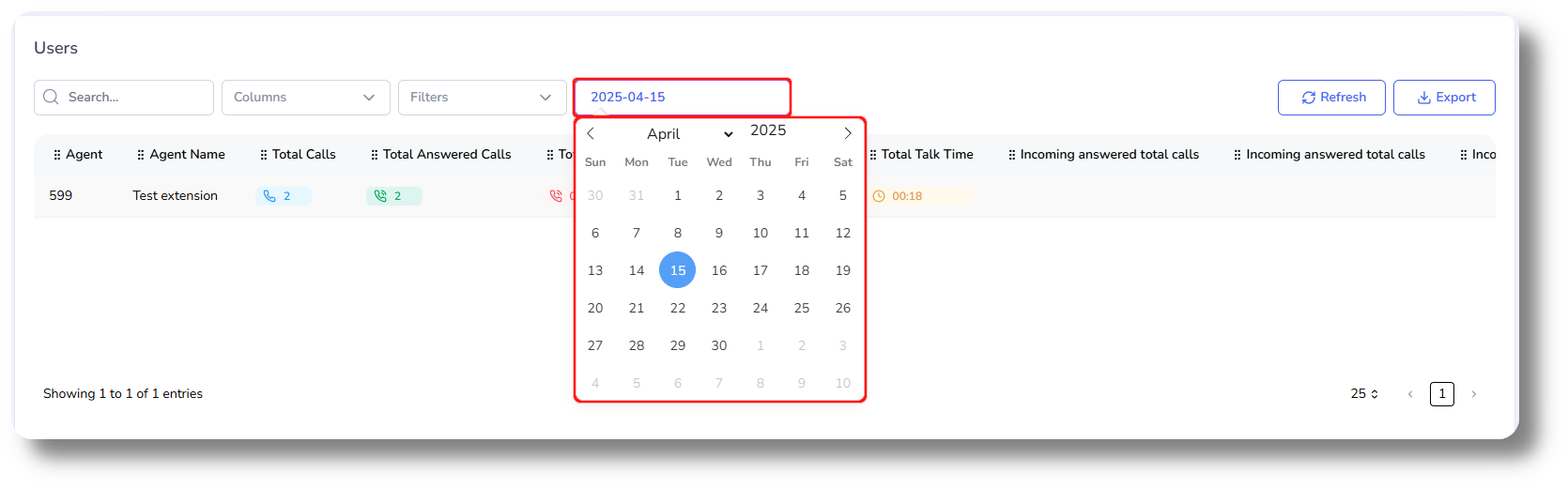
4. Click on the date field to filter for a specific date:
Related Articles
Reports - Users
This article will provide you more information about the Users section in the Reports. To do this first navigate to Reports on the left side of the menu. 1. Navigate to the Users tab by clicking on "Users": 2. Access the "Export to CSV" option to ...Reports - Scheduled reports
This article will provide you more information and general functionality for the Scheduled Reports in the Reports section 1. Navigate to the "Reports" section from the left and then the Scheduled Reports tab: 2. Click on "New Scheduled Report" to ...Statistics and Reports - Scheduled reports
This article will provide you an overview of the Scheduled report and it's functionality: First navigate to "Statistics and Reports" from the left and click on "Scheduled" from the drop down menu: From here you can you can create scheduled reports: ...Statistics and Reports - Agents
This article will provide you an overview of the Agents report and it's functionality: Navigate to the Statistics and Reports from the left and click on "Agents" from the down menu: From here you will be able to view and monitor statistics for you ...Reports - Summary
This article will provide you more information about the Summary section in the Reports. To do this first navigate to Reports on the left side of the menu. 1. Navigate to "Reports" to and select "Summary": 2. Click this icon to choose the dates of ...