Switch Extension Type
This article will provide the steps on how to switch an Extension type from SIP to WEB or vise versa:
1. Navigate to the Settings section, Users & Permissions and then Extensions:
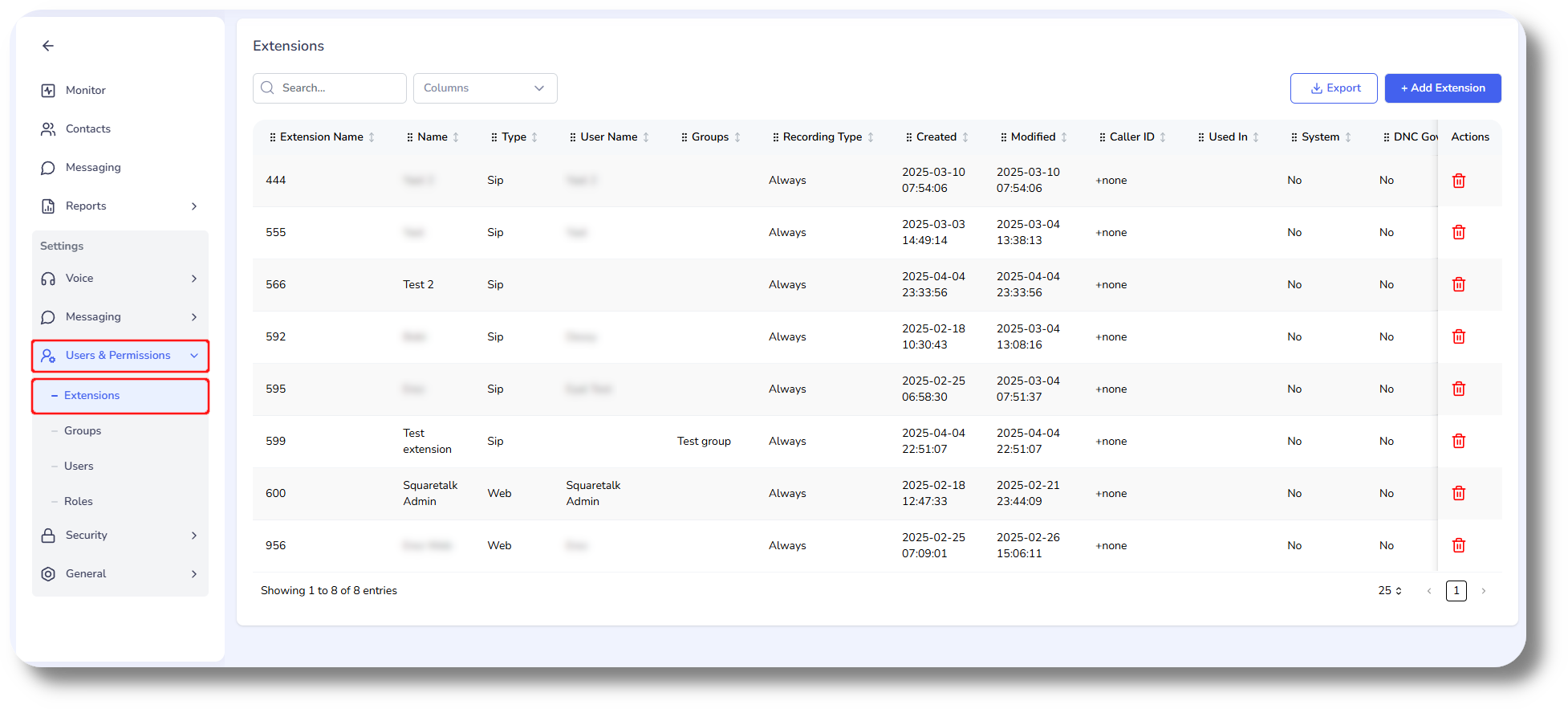
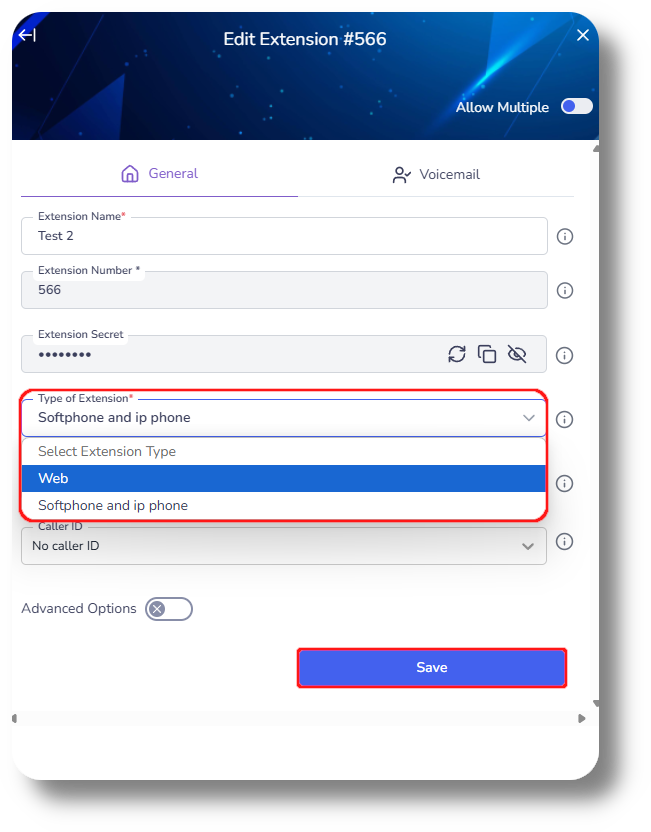
2. Click on any of the Extensions you would like to change in order to edit them, you will then see the following window:
3. Next click on the Type of Extension field, to change to your desired then after which click "Save":
Related Articles
Switch Extension Type
This article will provide the steps on how to switch an Extension type from SIP to WEB or vise versa: 1. Navigate to Settings and then Extensions: 2. Click on the edit button next to the respective Extension you would like to change: 3. In the new ...Switching to SIP (Extensions)
In order to switch your agents to use SIP (Softphone) please follow the steps below: 1. Navigate to the Users section and click on the action button next to the respective user you would like to use SIP and select Edit: 2. In the next window click ...How to add a new extension
Setting up a Voicemail to an Extension and Queue: Voicemail setup (Ext & Queues) 1. To create a new extension navigate to the Settings section: 2. Next navigate to the Extension section and click on New extension: 3. From the new window that will ...How to create and manage Users
This article will provide you an overview of the Users section and it's functionality as well as how to create users: 1. To create users navigate to the "Users" tab located on the left-hand side of your screen where the menu options are displayed: 2. ...Managing Extensions/User Subscriptions
In order to manage your extensions/user subscriptions, navigate to the Dashboard of the Billing Portal and click on the respective product you would like to do this for (Squaretalk Contact Center, Axiom, or Matrix): Once you've selected the Product, ...